
Smartphones and tablets for Greater Independence in Everyday Life

Editorial guide

Smartphones and tablets for Greater Independence in Everyday Life

A closer look at Smartphones and tablets for Greater Independence in Everyday Life and the details that shape the outcome.

Reader route
Best for Readers, families, and instructors
Use this page to Get oriented before going deeper
Next move Open related guides and checklists
Published August 7, 2026
Briefing

These devices can handle many of the same tasks as a computer. Beyond standard calls and texts, a smartphone connects to mobile data, letting you access the internet anywhere — for instance, checking bus times while waiting at a stop.

What should a blind person know about using a smart phone or tablet with speech?

Have you ever felt out-smarted by your smart phone? No worries. You're not alone. The phone seems to be the simplest thing that ...

  • Channel: Insight4blind

Video source: Insight4blind

Rapid read

Key takeaways

  • 01Begin with the person's actual goal and current access barriers instead of assuming one solution fits every blind or low-vision user.
  • 02Confirm eligibility, location, cost, training requirements, and ongoing support before relying on a service or tool.
  • 03Test one change in the real environment, note what becomes easier or less dependable, and adjust the routine from that evidence.
01

You can download a wide selection of practical apps, including online banking tools.

There are two primary smartphone ecosystems: Apple and Android. Apple devices are known as iPhones, while Android phones are produced by manufacturers such as Samsung, Sony, LG, Huawei, and HTC.

Smartphones are sized by their screen measurement, taken diagonally from corner to corner, typically ranging from 4 inches to 7 inches.
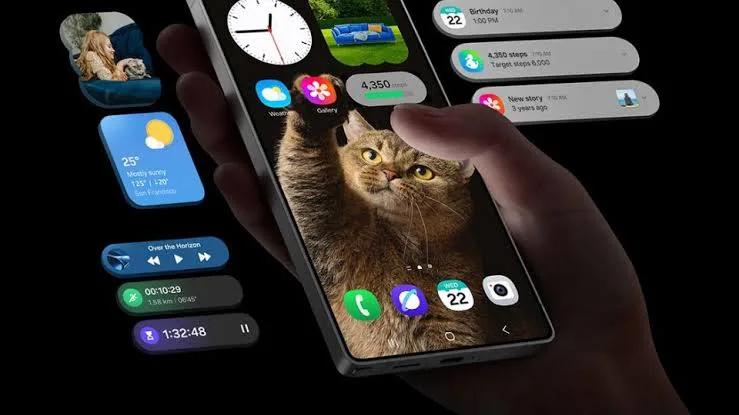

Smartphones and tablets for Greater Independence in Everyday Life
02

Smartphones rely on a touch screen with only a handful of physical buttons, such as power and volume controls. You interact with the device by tapping or swiping the screen rather than pressing buttons.

Tablets also come in two main varieties: Apple and Android. Apple tablets are called iPads and include models like the iPad Pro and iPad Air. Android tablets are available from brands including Amazon, Google, and Samsung.

Both devices offer built-in accessibility features such as larger and bolder text, magnification, and speech output. These settings are not enabled by default, and you may need assistance to adjust them.

Smartphones and tablets for Greater Independence in Everyday Life
03

If reading letters and numbers on your screen is difficult, increasing the text size can help you access messages, emails, and other applications more easily.

Drag the slider located at the bottom of the screen to select your preferred text size.

The built-in magnification setting is another option. When activated, some on-screen elements such as icons and text may appear to fall outside the visible area. You will need to use finger gestures to navigate and locate them, as described below.

Smartphones and tablets for Greater Independence in Everyday Life
04

On an iPad or iPhone, the magnification feature is called Zoom.

Zoom magnifies the entire screen. To move around, drag with three fingers. To zoom in, double-tap with three fingers. To adjust the zoom level, double-tap and drag with three fingers.

You can choose how to activate the magnifier from four available options. If you prefer using finger gestures, triple-tap the screen with one finger.

05

Magnification can also be enabled temporarily. To turn it on, triple-tap the screen with one finger and hold. When you release, the device returns to its normal display settings.

You can increase the overall display size on your smartphone or tablet, making icons, buttons, and other on-screen items larger and easier to see.

Your device will need to restart for the changes to take effect. Tap on Use Zoomed to confirm and restart.

FAQ

Frequently asked questions

01What types of smartphones are available?

The two main types are Apple iPhones and Android smartphones, which are made by companies including Samsung, Sony, LG, Huawei, and HTC.

02How do you activate the magnifier on an iPhone or iPad?

You can triple-tap the screen with one finger to activate magnification using finger gestures.

03Can you use magnification temporarily?

Yes. Triple-tap and hold with one finger to enable temporary magnification, and release to return to normal settings.

04What tablet options exist?

Apple offers iPads, including the iPad Pro and iPad Air. Android tablets are available from brands such as Amazon, Google, and Samsung.

05How do you increase text size on a smartphone or tablet?

Drag the slider at the bottom of the screen to choose your preferred text size, or increase the overall display size and restart the device by tapping Use Zoomed.