How to Evaluate a Face-Alert Smart Cane Before You Trust It in Public

Editorial guide

How to Evaluate a Face-Alert Smart Cane Before You Trust It in Public

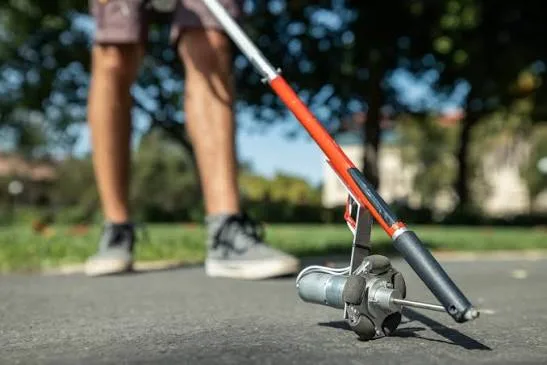
A cane that can alert you to a familiar face sounds impressive, but novelty is not the same thing as dependable mobility help. The real test is whether the alerts stay clear, timely, and easy to ignore when the environment needs your full attention elsewhere.

Reader route
Best for Readers, families, and instructors
Use this page to Get oriented before going deeper
Next move Open related guides and checklists
Published June 22, 2026Updated June 18, 2026
Briefing

is why a face-alert cane should be judged like any other assistive tool: by how it behaves in ordinary movement, missed detections, crowded spaces, and battery drain, not by how clever the idea sounds on paper.

We Tested Out the Features of the WeWALK Smart Cane 2

Tommy, one of our Technology Champions at Guide Dogs, talks through the features of the WeWALKSmart Cane2. Although ...

  • Channel: Guide Dogs

Video source: Guide Dogs

Rapid read

Key takeaways

  • 01A face-alert cane should act like an extra clue, not like proof that the person or situation is fully understood.
  • 02Signal timing and false-alert behavior matter more than a flashy feature list.
  • 03If the tool competes with normal cane travel or environmental listening, it has not earned trust yet.
01

Start by testing the alert language in a quiet setting

Before the cane goes anywhere busy, learn exactly what the alert feels like and how much effort it takes to interpret. A signal that seems obvious in a product description may still be too subtle, too easy to confuse, or too mentally expensive in motion.

A controlled first test lets you separate the novelty of the feature from the actual usability of the cue. If the traveler cannot read the signal calmly indoors, the street will not improve it.

  • 01Practice the alert with known people in a low-stakes space first.
  • 02Check whether the vibration or signal is distinct enough to recognize immediately.
  • 03Notice whether the cue adds calm information or another layer of decoding work.
How to Evaluate a Face-Alert Smart Cane Before You Trust It in Public
02

Watch the timing and false-alert pattern before trusting it around people

Recognition tools fail in the ways mobility tools usually fail: they get delayed, miss the obvious moment, or react to the wrong thing. A face-alert cane is only helpful when the alert arrives early enough to matter and stays quiet enough that you still trust it after a few misses.

means testing it around changing light, moving people, and short encounters instead of only during a perfect demonstration.

  • 01Check how often alerts arrive late, early, or on the wrong person.
  • 02Test with different lighting, movement, and crowd conditions.
  • 03Treat repeated false confidence as a bigger problem than one missed novelty feature.
How to Evaluate a Face-Alert Smart Cane Before You Trust It in Public
03

Keep cane technique and environmental judgment in the lead

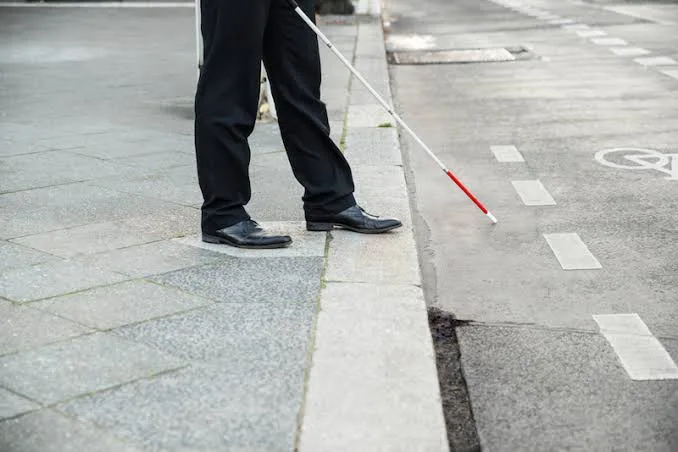
Even if the recognition feature works well, it does not replace the ordinary information the cane and environment give you about curbs, obstacles, openings, and body position. The social cue should ride on top of those skills, not ask you to trade them away.

A useful device should let the traveler stay grounded in route judgment while deciding whether the recognition cue is worth acting on at all.

  • 01Use the tool alongside normal cane technique instead of reorganizing your whole travel method around it.
  • 02Pause and verify whenever the alert conflicts with what your hearing, cane, or context says.
  • 03Remember that recognizing a face is not the same thing as confirming safety or intent.
How to Evaluate a Face-Alert Smart Cane Before You Trust It in Public
04

Decide whether the feature saves effort or just adds maintenance

Some smart mobility features impress people nearby more than they help the traveler using them. Charging routines, app pairing, camera positioning, and software quirks can quietly eat up the benefit if the face alerts only help in rare moments.

After a few honest trials, the real question is simple: does this feature reduce uncertainty often enough to justify the setup, or does it mostly create one more thing to manage?

  • 01Factor battery life, setup friction, and update reliability into the decision.
  • 02Notice whether the feature helps in repeatable situations or only in showcase moments.
  • 03Keep the tool only if it clearly supports travel without stealing attention from the route.

FAQ

Frequently asked questions

01Can a face-alert smart cane replace normal cane skills?

No. It can add one more clue, but it does not replace obstacle detection, orientation, or the judgment needed to move safely through public space.

02What should be tested first on a recognition cane?

Test whether the alert itself is clear and easy to interpret with known people in a quiet setting before you worry about busier public use.

03When should I stop trusting the alert?

Back off when the cue arrives late, fires on the wrong person, conflicts with the environment, or starts pulling too much attention away from ordinary cane travel.